Exchange Certificate Manager#
Request, renew, import, deploy and health-check Exchange Server certificates from one Windows app, including free Let's Encrypt certificates that renew themselves.
Watch the demo Tour the screens Download from GitHub
The demo shows the real app with a made-up Contoso organisation: it talks to Exchange, so it can't run in a browser. See What's new for the latest changes.
What it does#
Exchange certificates go wrong in the same few ways: one expires because nobody saw it coming, a renewal misses a name that a virtual directory still uses, the replacement lands on one server but not the other, or a hybrid connector is still pinned to the old one and mail to Microsoft 365 quietly stops. Exchange Certificate Manager puts all of it on one screen and checks for each of those problems.
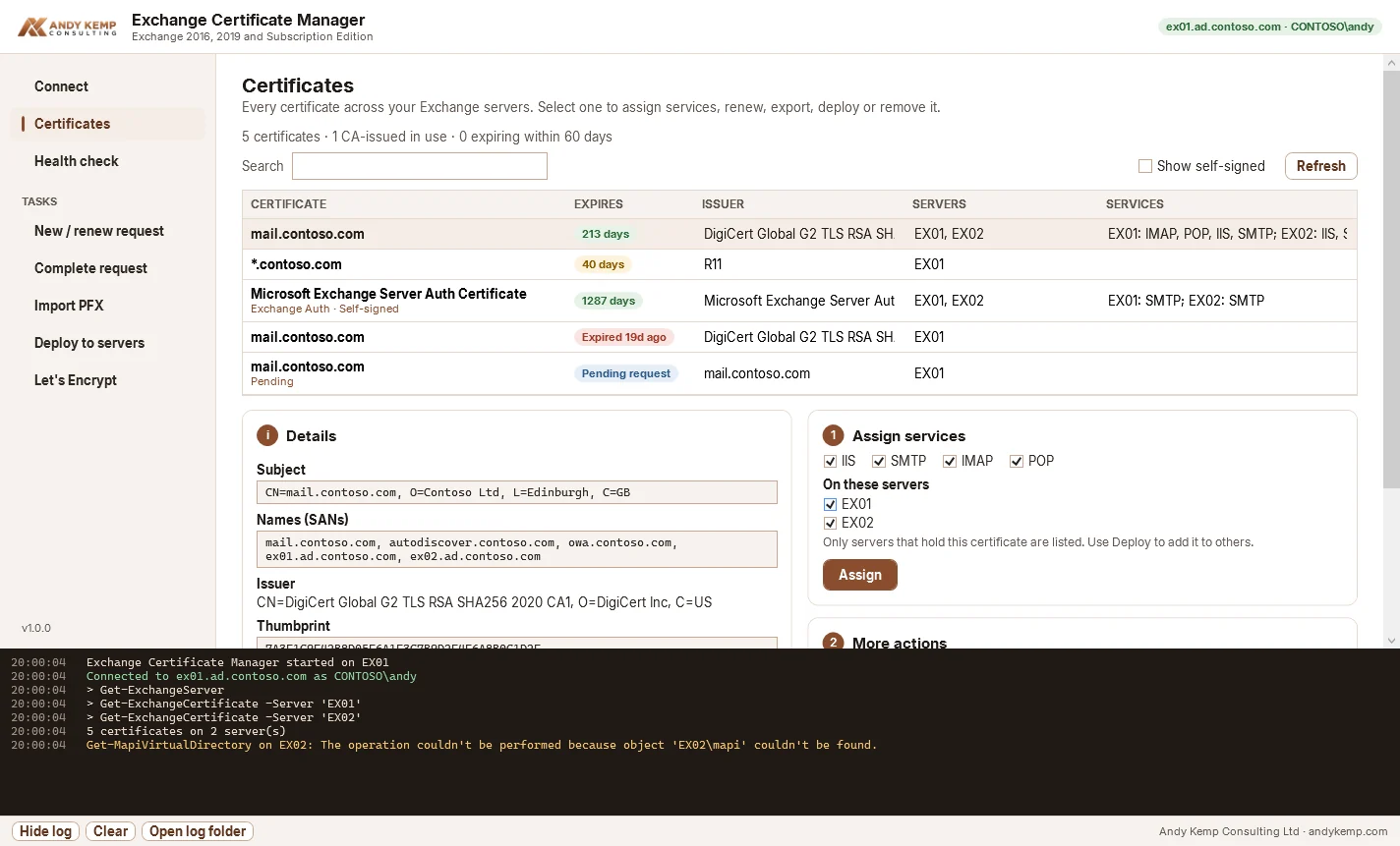
- See everything. Every certificate on every Exchange server, grouped by thumbprint, with expiry, issuer, the servers that hold it and the services each one uses it for.
- Any certificate source. A commercial or internal CA (create the request, then complete it), a
.pfxyou already have, or Let's Encrypt. - One step to every server. Complete or import once, then copy it to the rest and assign the same services everywhere.
- Health checks that know Exchange. Expiry, the Exchange Auth (OAuth) certificate, names your URLs use that the certificate doesn't cover, connectors pinned to a certificate that's gone, and leftovers to clean up.
- Let's Encrypt with renewal. HTTP validation through IIS on every server (so it works behind a load balancer), or DNS for wildcards, and a daily task that renews anything within 30 days of expiry.
It works with Exchange Server 2016, Exchange Server 2019 and Exchange Server Subscription Edition (SE), including on Windows Server 2025.
How it works#
Connect as you (Kerberos) to any Mailbox server
        ↓
Read every server's certificates, the Auth configuration and the configured URLs
        ↓
Request / complete, import a PFX, or issue from Let's Encrypt
        ↓
Copy to every server and assign IIS, SMTP, IMAP, POP
        ↓
Health check: expiry, Auth certificate, URL coverage, connectors, clean-up
The app runs PowerShell inside itself and talks to the standard Exchange PowerShell endpoint (http://<server>/PowerShell), sending one Exchange cmdlet at a time. Every command it runs is shown in the log panel and written to C:\ExchangeCertManager\Logs, so you can see exactly what it did.
The pages#
| Page | What it's for |
|---|---|
| Connect | Sign in as yourself, or another account, to any Mailbox server |
| Certificates | The inventory, plus assign, renew, export, deploy and remove |
| Health check | What needs fixing, and what's fine |
| New / renew request | Create a CSR on the server, with the names read from Exchange |
| Complete request | Import the CA's response, assign and copy to the other servers |
| Import PFX | Install a certificate you already have |
| Deploy to servers | Make every server match |
| Let's Encrypt | Free certificates, issued, installed and renewed |
Quick links#
- Quick start: from download to your first health check
- Using the app: every page in detail
- Let's Encrypt: validation, hybrid and renewal
- Health checks: what each check means and how to fix it
- Requirements: permissions, ports and supported versions
- Troubleshooting: connection, request and renewal problems