Share your card#
Your QR code#
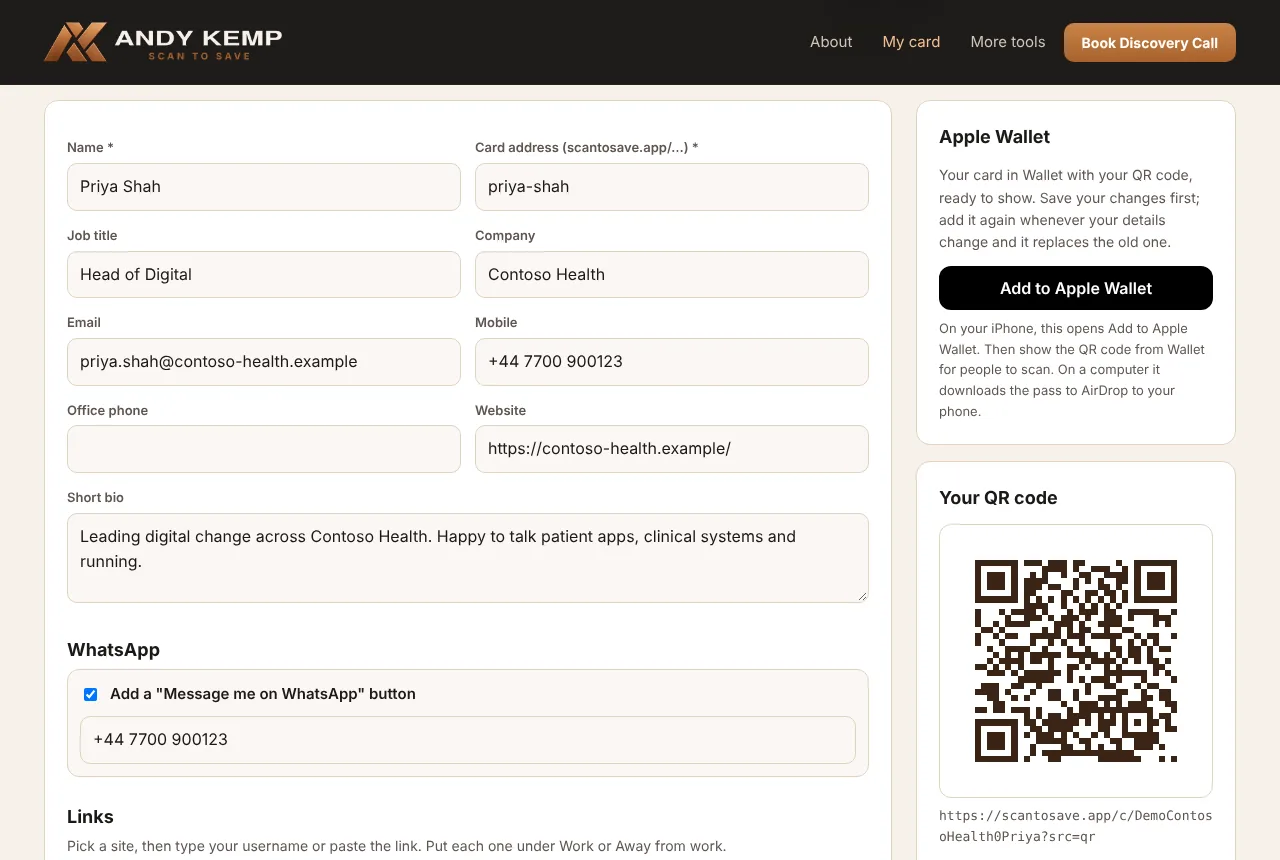
My card shows your QR code. Download it as PNG for slides, email signatures and social posts, or SVG for printing, so it stays sharp at any size.
The QR code opens your card at its private QR address (scantosave.app/c/…). That works whether your card is QR only or Public, so printed QR codes keep working if you change it later.
Apple Wallet#
Add to Apple Wallet puts your card in Wallet on your iPhone, with your QR code on the front, ready to show to someone across a table. The back of the pass has your details and links.
- Press Save first: the pass is made from your saved card.
- Changed something? Add it again. The new pass replaces the old one.
- Open the page on your iPhone in Safari. On another device you'll download the pass file instead.
What people see#
When someone scans your QR code they see your card: logo, photo, name, job title and badges, then Save contact, then a button for each way to reach you, your links, and your bio.
Save contact downloads a contact file. iPhone, Android and Outlook all open it and offer to add you, with:
- your name, job title, company, email and phone numbers,
- your photo,
- your website, LinkedIn, WhatsApp and every link, each as its full web address with its name, such as Facebook
https://www.facebook.com/…, so it opens when tapped.
If you change your card, people who saved you before keep the old details until they scan again.
Public or QR only#
| QR only | Public | |
|---|---|---|
| Your QR code | Opens your card | Opens your card |
| scantosave.app/your-name | "This card is private" | Opens your card |
| Search engines | Never listed | Can be found |
Change it on My card under Who can open your card, then Save.
Views#
Views, last 30 days counts how many times your card was opened, split by how people got there: the QR code, Apple Wallet, or your link. Your own previews from View my card aren't counted.
Reset QR link#
If your QR link has been shared somewhere it shouldn't be, Reset QR link gives your card a new one. Every old QR code stops working: printed cards, slides, signatures and your Apple Wallet pass. Download the new QR code and add your card to Wallet again.